


Install plugin
01 Install the plugin
Install the DDD Invoices plugin in Stripe to connect your payment workflow.
DDD Invoices makes your Stripe invoices compliant with local fiscalization
& e-invoicing - automatically.
Start in test mode. No impact on live payments!
E-commerce Brand · Tim Bonifer











How it works
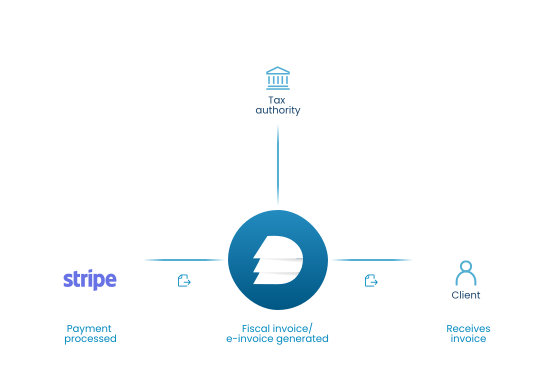
Install the DDD Invoices plugin in Stripe to connect your payment workflow.
 Stripe
Verify your tax settings directly in Stripe to ensure correct invoice data.
 DDD dashboard
Set up company details and delivery settings. UNLIMITED testing before going live!
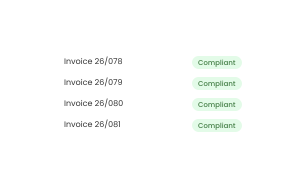
Choose a payment plan, switch from test mode to live mode and start processing compliant invoices. Success!
A completed Stripe payment can still require a valid local invoice, e-invoice or fiscalized document.
Each invoice must be reported to tax authorities separately - often manually, wasting time on something Stripe doesn't cover.
Non-compliant invoices can result in fines. This is where compliance becomes a bottleneck for your business.
Follow our 4 step how to guide - get compliant in 30 minutes.
USE CASES
Whether you're a small business, SaaS, or eCommerce - we make compliance fast, simple, and scalable.
You collect payments through Stripe, but still need to create, validate and deliver compliant invoices manually.
Turning Stripe payment data into compliant invoices, e-invoices or fiscalized documents automatically.
Recurring invoices through Stripe generates hundreds of e-invoices monthly, each requiring fiscal validation.
DDD handles all subscription invoices and converts them to e-invoices with zero manual intervention.
You process high transaction volumes across markets, but each country can require different tax, invoice and reporting flows.
Real-time fiscalization for every order. E-invoices delivered to customers and authorities instantly.
Install the DDD Stripe plugin and remove the manual compliance work that comes after payment: from invoice creation and fiscalization to delivery and archiving.
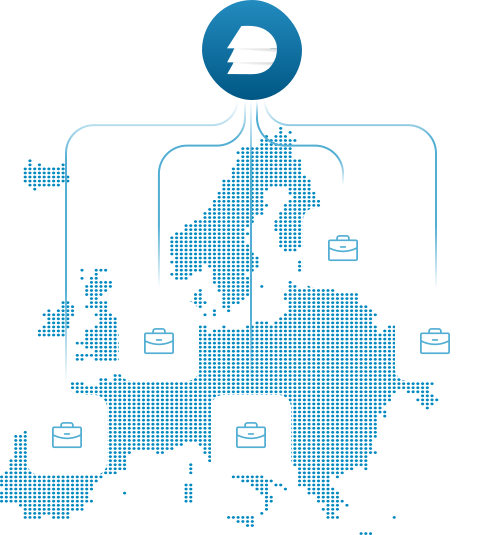
Install plugin on Stripe marketplaceAcross countries, Stripe payments can look the same, but invoice rules do not. Each market may require different formats, e-invoices, fiscalization, delivery or archiving. DDD handles local obligations so you can expand without creating a separate invoice process for every market.
Safe to try - nothing goes live until you switch to production.

Chattrips - AI solutions · Matic Mele
Archlior · AI-powered lighting platform
“We saved a lot of time and we were able to focus on the business! Other solutions required external companies for implementation, are really slow and take a lot of upfront fees. With DDD invoices, the experience was seamless and very quick.”
Chattrips · AI school and solutions
“They’re like Amazon, great customer support! We set up the plugin in just a few clicks, and their excellent and friendly customer support makes a crucial difference for users. The best part is that we no longer have to deal with fiscalization at all.”
Flipenglish · E-commerce Brand
“What is crucial is that I know that money is consistently flowing in, emails are being sent out and I don’t have to worry myself with compliance and these numbers.”
Start in test mode and move to production only when you are ready.
Try the Stripe plugin without affecting live payments.
DDD applies country-specific invoicing, e-invoicing and fiscalization logic.
Switch to live only after your setup, company data and delivery channels are confirmed.
DDD monitors requirement changes and keeps supported country flows aligned.
FAQ