
NO INTEGRATION

Compliant invoice workflows without integration

Upload or forward invoice files, let the system extract and structure the data, and move into compliant or automation-ready workflows without starting an API project.

Coming soon

Start by dropping
your invoice here

(we'll redirect you to the dashboard)
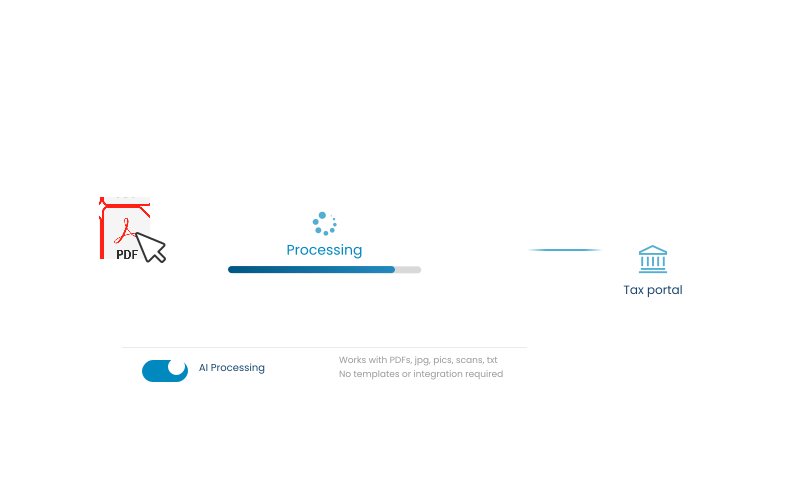
AI Processing

Works with PDFs, jpg, pics, scans, txt.
No templates or integration required.

PDFsJPGsPicsScans.txt
CSVXMLEmail forwardingAny business documentNo plugin needed
Validate the workflowMove to API laterLower frictionFaster first value
Start before integrationStart with real invoices

How to

Start now, integrate later

01 Send documents into DDD

Upload invoice files or forward them by email.
Extract and structure invoice data from uploaded files before.

02 Extract and structure the data

DDD receives the document, extracts and standardizes the data.
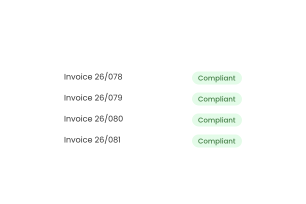
Process invoice data through the DDD compliance workflow without direct integration.

03 Process the invoice flow

Data goes through validation, required e-invoicing flow, or fiscalization process.

Move from file-based invoice processing to a later API integration when ready.

04 Integrate later if needed

When ready, switch to an API integration or plugin without changing the compliance layer.

Get compliant without committing engineering time

Use real invoice documents to meet e-invoicing requirements when you are under time pressure or do not have engineering resources ready.
  • Meet e-invoicing requirements faster without an API integration
  • Reduce risk before committing engineering time
  • Move to technical implementation with fewer unknowns
  • Check how DDD handles your invoice use case
Graphic showing DDD Invoices processing a PDF with AI and sending it to a tax portal without API integration.
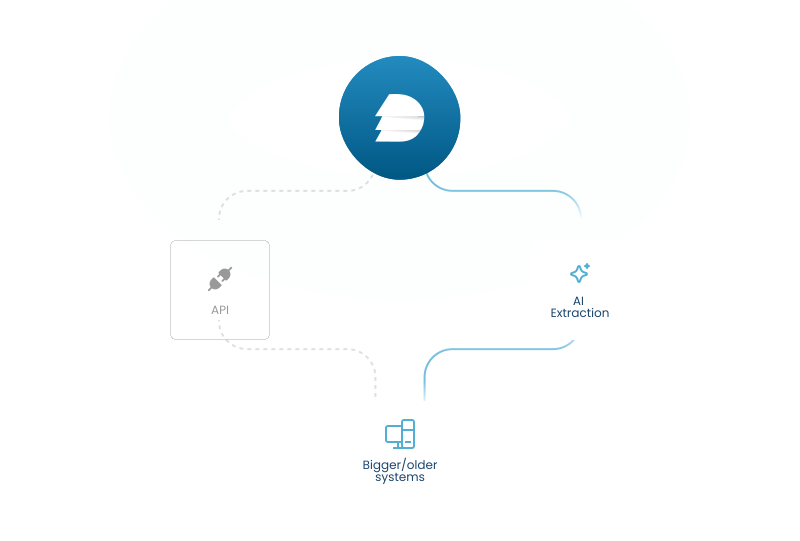
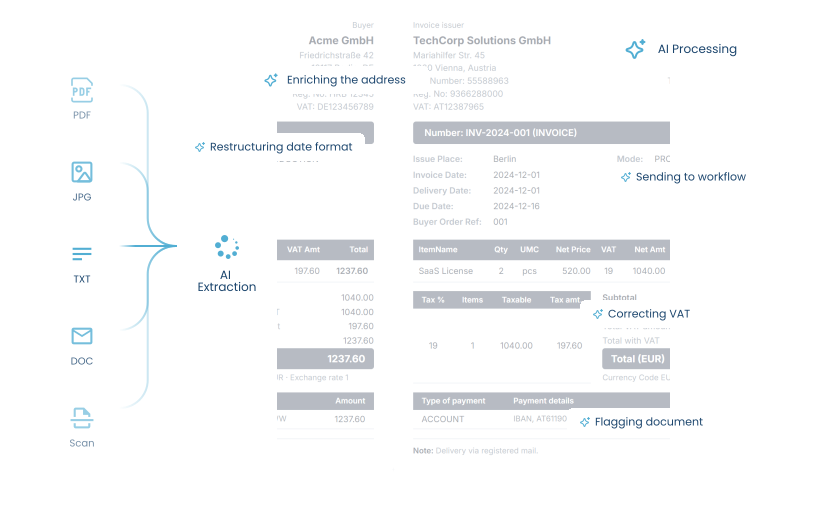
Diagram showing DDD Invoices using AI extraction to process documents from older systems without requiring an API integration.

Start without an API project

When direct integration is blocked by older systems, limited resources, or pressure from compliance deadlines, DDD lets you process documents without changing your technical setup first.

  • Useful when direct integration is hard or delayed
  • Validate the workflow earlier
  • Reduce initial technical effort
  • Move to API or plugins later

Start from the invoice files you already have

Use PDFs, XMLs, or email invoices as the entry point. DDD prepares the required local format and sends the data to the right tax portal.
  • Keep your current invoice process
  • Use existing document intake channels
  • Test the flow with real invoice examples
  • Create a simpler entry into DDD
Diagram showing DDD Invoices extracting and enriching data from existing invoice files before sending it to the appropriate tax workflow.

Compliance deadline coming before your integration is ready?

Use invoice files as a faster entry point into DDD, so you can start handling e-invoicing requirements without waiting for API development.

Upload invoice files now

USE CASE

This is how it's done.

Logitude customer story on using DDD Invoices unified API.

FAQ

Frequently asked questions

The no-integration option is for teams that need invoice processing, but cannot connect through API or a prebuilt integration right away. It gives you a way to use DDD without changing your existing system or starting a technical integration project first.
This is best for companies with older systems, limited developer capacity, manual invoice workflows, or internal tools that are not ready for API integration. It is also useful when you need a faster operational workaround before a deeper integration becomes possible.
No. The point of the no-integration option is that you can keep your current system as it is. Instead of rebuilding your invoice flow first, you can send processable documents or invoice data to DDD through the supported no-integration path.
This depends on the supported setup and document format for your use case. In general, the no-integration path is meant for situations where invoice data can be processed without a direct API connection. The exact accepted formats should be confirmed based on your country, workflow, and technical setup.
No. The no-integration option is a lighter entry point when API integration is not possible or not practical yet. The API gives you deeper automation and more direct control from your own system. The no-integration path helps you start without waiting for that technical work to happen first.
Yes. For many teams, this can work as a practical first step. You can start processing invoices without a full integration, then move toward API or a prebuilt integration later if your volume, systems, or workflow require more automation.
Yes, the goal is still to give you visibility over the invoice flow. You should be able to follow what happened with a processed invoice, check whether it needs attention, and understand the status from the DDD side.
If a document or invoice cannot be processed, the issue needs to be reviewed before it can move forward. The reason may be missing data, an unsupported format, unclear invoice information, or country-specific requirements that need additional details. This is why the no-integration path should still include a clear review and support process, not just file submission.
Because waiting for a perfect integration can delay compliance work for months. The no-integration option helps you move sooner, even if your current system is not technically ready yet. It gives you a way to start with what you have, reduce manual pressure, and avoid making local compliance a blocker for your business.