
01 Register
Register in the DDD dashboard and choose software provider or end-client
Control
Manage your connected systems, authentications to tax authorities, invoice operations & end-clients administration, with separate view for software providers and companies.
One control layer across your entire operations.
How to
Register in the DDD dashboard and choose software provider or end-client
Configure the technical and organizational setup
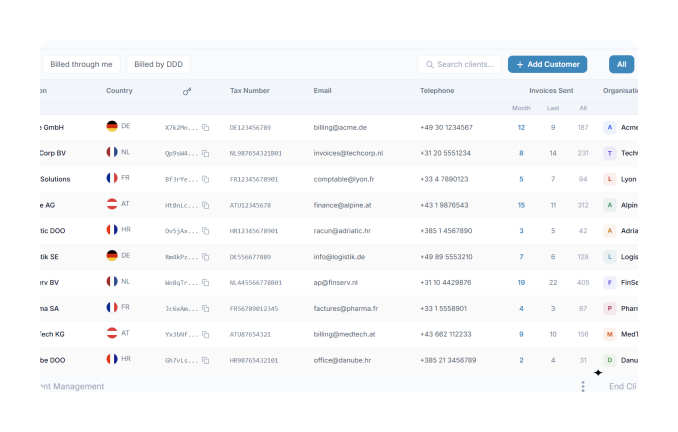
View your customers or switch into end-client perspective
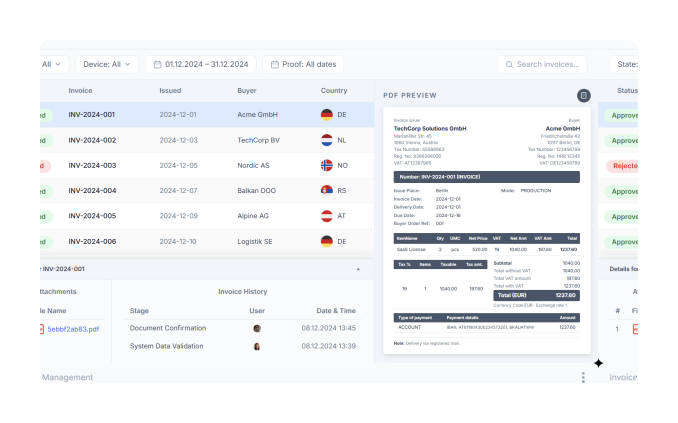
Monitor invoices, statuses, previews, and processing history
our dashboard
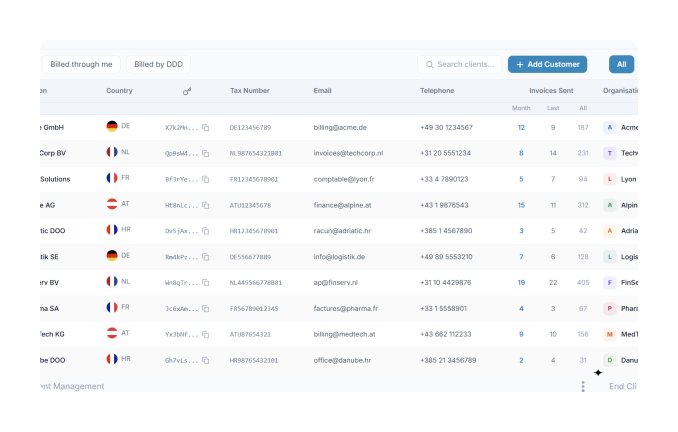
Software providers and platforms can manage all end-clients from one dashboard, see client structures across countries, and maintain visibility across their customer base.
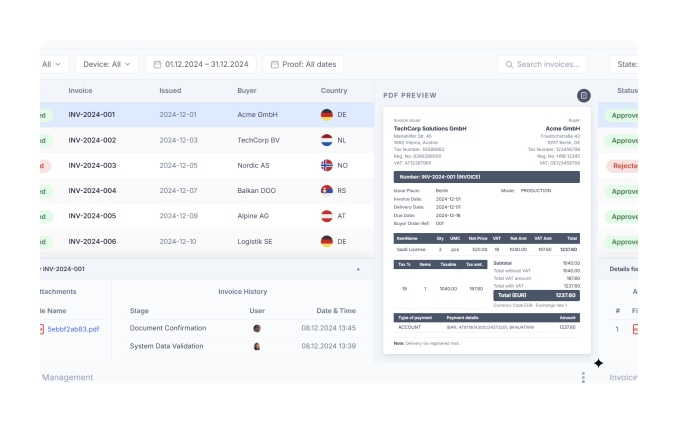
From the software provider view, switch into an end-client perspective to see the operational invoice flow, document preview, statuses, and history for that specific client.
The same key objects managed in the dashboard can also be handled through APIs, giving software providers more flexibility across invoice data, customer management, and tax authority connections.
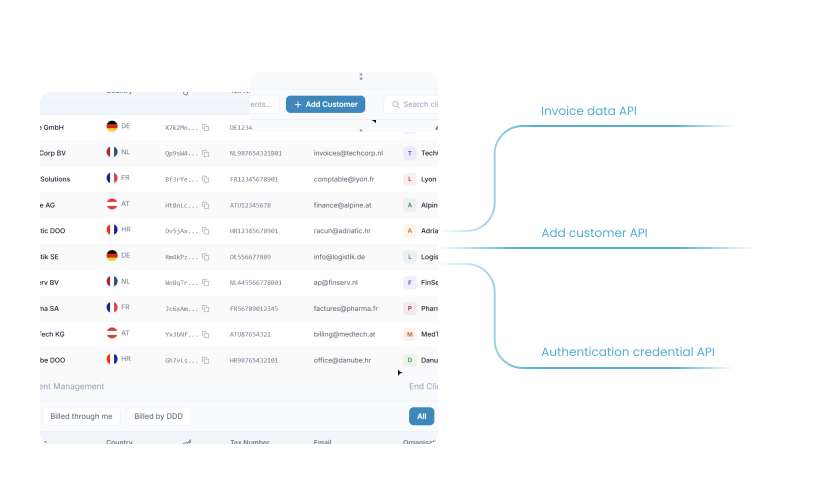
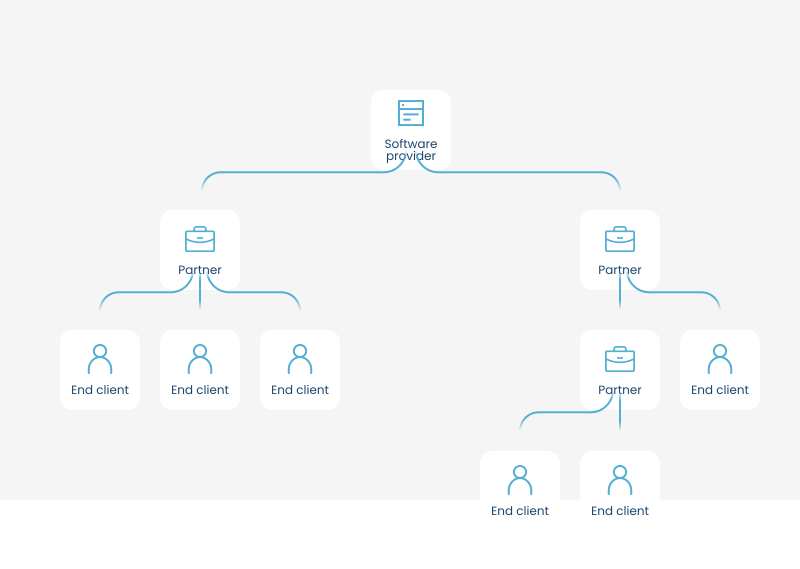
DDD helps software providers organize and monitor partner relationships across multiple levels, making more complex structures easier to group, view, and manage.
USE CASE

“The APIs are shared, clean and flexible. It was very easy and clear for us.”
FAQ